betomax
Greenie
- Nov 8, 2011
- 12
- 0
- Detector(s) used
- Minelab E Trac, Garret 250 + 2 Coils And Garret Propointer
- Primary Interest:
- All Treasure Hunting
Gmap Maker, is a useful program to download, convert and calibrate maps from google,
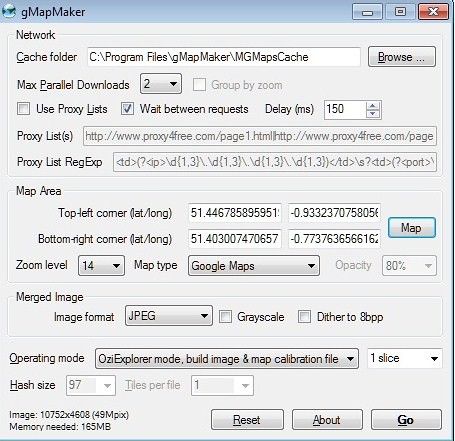
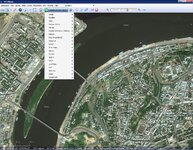
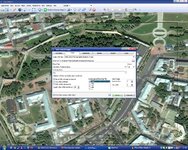
here is it the main windows, just select the map area to create you own calibrated .map as Oziexplorer needs, click on 'map', draw using the mouse an rectangular area and select map type and zoom level, from 5-to-9 is good for me, then press 'go' button, and voila !
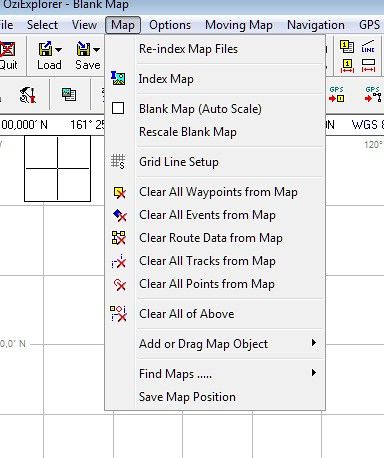
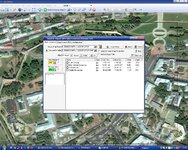
two map files where generated, .map(coordinate data) and .jpg (image data), put un your 'Maps' directory and reindex your maps under 'map' menu of Oziexplorer,
Now you can go out Hunting with your netbook, your GPS and you will get so detailed map as you want !
Disclaimer:
Google maps and all content on its server are copyright, if forum Admin consider this message violating rules please remove it.
Download gMapMaker from here.http://www.betomax.kicks-ass.net/down/gMapMaker-setup(dot)exe
here is it the main windows, just select the map area to create you own calibrated .map as Oziexplorer needs, click on 'map', draw using the mouse an rectangular area and select map type and zoom level, from 5-to-9 is good for me, then press 'go' button, and voila !
two map files where generated, .map(coordinate data) and .jpg (image data), put un your 'Maps' directory and reindex your maps under 'map' menu of Oziexplorer,
Now you can go out Hunting with your netbook, your GPS and you will get so detailed map as you want !
Disclaimer:
Google maps and all content on its server are copyright, if forum Admin consider this message violating rules please remove it.
Download gMapMaker from here.http://www.betomax.kicks-ass.net/down/gMapMaker-setup(dot)exe




 I use other program for this purpose - SAS.Planet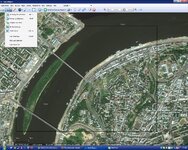
 Everything seems correctly wrote