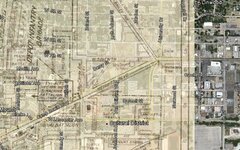
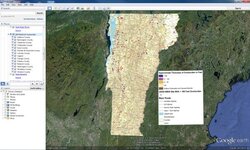
Here is a great way to use Google Earth with your old maps. I have used it for several projects and is very helpful in locating old map locations on the current landscape. I wrote a "how to" here:
There is also a timeline function in Google Earth . The little clock icon allows you to scroll through older dated aerial views. In the Houston area, these aerials go back to to 1944.
I love using the picture overlay feature to superimpose historic maps over current ones. It really gives you a great visual of how the old locations are situated.
Gold Map Maker and Google Earth image overlay tips.
I have worked with a number of USGS maps and overlaid them on current Google Earth imagery. As a tip for larger maps I suggest cutting the map into smaller sections and overlay each one independently. This will help in a few ways. One is Google Earth (normal version) will limit the image size. If the image is to large much detail will be lost when trying to zoom in. Another is that GE will run better viewing small sections opposed to a large map (results will vary depending upon your computer). Finally, back in the old days they were pretty good with drawing any one particular feature but often had issues with the positioning of these features in relation to each other. For example, while a river or county line may overlay well, other features are out of position. Upon correcting these other features you will find that it just makes it worse. Small segments independently placed will give you the best alignment. It may be a bit of work to produce but will be a much better outcome in the end.
Another good tool is Maprika. It has a map editor for the pc, and you can do it on your mobile phone. Doesn't have transparency features, but you can snap a pic of a map and overlay it quickly and see your gps location in real time. Works great for fairs, theme parks and detecting using historic maps. Plus you can upload them to a server and they can be seen by anyone using the site. Or just remain private for you. Also try tect o tract for android. That is a great app for making and staying within grids. Both FREE. And if you people didn't like free you wouldn't have spent so much on your detectors...
When looking at an old supposed treasure map, I was able to identify a previously unidentified object underwater using google earth. The rock formation depicted on the map matched up perfectly with dark spots in the shallow water on google earth. I am hoping to verify this on site in the near future.
Well don't forget about the rest of us. Keep us informed.