What's new

Looking For An Awesome Treasure Screensaver - Any Suggestions?

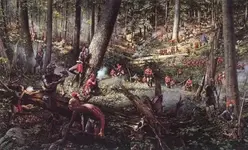
not shipwreck but one of my favorites
 

Attachments

  • FrenchandIndianWar1.webp
    FrenchandIndianWar1.webp
    53.4 KB · Views: 428
The Big Coinhuna
Available from the U.S. Mint at their website,
usmint.gov
 
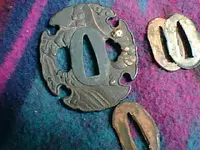
this is the one on my screen...
 

Attachments

  • swords 003.webp
    swords 003.webp
    45 KB · Views: 447
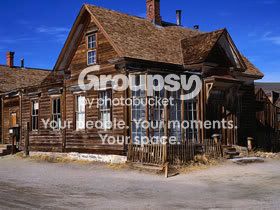
I went looking for screensavers that I had, couldn't find any shipwrecks. I did find these 2 that you might like.

ghosttownbodie.jpg


oldtruck.jpg


If anyone would like me to search for any screensavers, I would be glad to. I have access to over 100 different screensavers.

Sue
 
smurf-42 said:
I went looking for screensavers that I had, couldn't find any shipwrecks. I did find these 2 that you might like.

ghosttownbodie.jpg


oldtruck.jpg


If anyone would like me to search for any screensavers, I would be glad to. I have access to over 100 different screensavers.

Sue

Gosh that's cool Sue!

How do I get it?

MB
 
pippinwhitepaws & Lowbatts thanks too!

Everybody keep em coming.

I'm sure others would also appreciate these types of screen savers.

MB
 
So far, everything outside of what stoney just posted were all backgrounds... not screen savers.
Backgrounds are the photos that can be applied to the desktop of your computer... screen savers are what come on after not touching your computer for a set period of time; originally created to keep the old CRT monitors from getting the "burn in". The new LCD monitors no longer have that problem. Anywho.... :sleepy4:

Bran <><
 
Michigan Badger said:
smurf-42 said:
I went looking for screensavers that I had, couldn't find any shipwrecks. I did find these 2 that you might like.

ghosttownbodie.jpg


oldtruck.jpg


If anyone would like me to search for any screensavers, I would be glad to. I have access to over 100 different screensavers.

Sue

Gosh that's cool Sue!

How do I get it?

MB

Ok, I will try to explain how to get the pics on your computer then to use as a screensaver.

Go to "my pictures" and make new folder called "screensaver pics"
Right click on the pics and click "save picture as"
New window opens
Go to "my pictures" then find "screensaver pics" folder
Click open then save

Go to start, control panel, click on appearance and themes
Click choose a screensaver
Display properties window will open and click on screensaver tab
Click on the little tab to open your screensavers and you should have "My picture slideshow", click it
Click the settings button, new window opens
Click the browse button, another window opens
Use slider to find "my pictures", click on it
Then go down to find "screensaver pics"
Click ok
Click ok
Click Apply
Click ok
Close out Appearance and Themes

Sit back and wait for the amount of time it takes for your screensaver to become active and the pictures you have in that folder will start displaying as a screensaver.

If you have any questions, please ask and I will try to help you. Also, I am running Windows XP on my computer, but if you are running Vista, it should still be about the same.

Sue
 
jeff of pa said:
Michigan Badger said:
jeff of pa said:
not shipwreck but one of my favorites

Is this a screensaver Jeff?

Link?

it's not titled as a Screen Saver but didn't know there was a Difference ?

Ok I use it as a Backround.
My Screensaver dosn't come on for hours

http://images.google.com/images?q=f...crosoft:en-us&um=1&ie=UTF-8&sa=N&hl=en&tab=wi

There is a difference between screensaver and background (wallpaper as some people call it). The background is what you see when you turn your computer on, mine is a picture of a skunk. The screensaver moves around on the screen to prevent the background from putting "burn" marks on the monitor screen. My current screensaver are the pics from my last hike. You can make any picture(s) turn into a screensaver by following the instructions I posted above.

Sue

 
godisnum1 said:
So far, everything outside of what stoney just posted were all backgrounds... not screen savers.

Backgrounds are the photos that can be applied to the desktop of your computer... screen savers are what come on after not touching your computer for a set period of time; originally created to keep the old CRT monitors from getting the "burn in". The new LCD monitors no longer have that problem. Anywho.... :sleepy4:

Bran <><
Then you didn't go to the mint website and download The Big Coinhuna. It is a screensaver. A very hilarious at times screensaver featuring a guy at his beach shack who occaisonally breaks out the MD but has trouble with monkeys, UFO's, rusty iron objects and so on. It changes with the season, reading your calendar.
 
Lowbatts said:
Then you didn't go to the mint website and download The Big Coinhuna. It is a screensaver. A very hilarious at times screensaver featuring a guy at his beach shack who occaisonally breaks out the MD but has trouble with monkeys, UFO's, rusty iron objects and so on. It changes with the season, reading your calendar.

Sorry Lowbatts, I must've missed it because you didn't provide a link.
I tried downloading the screensavers that stoney posted, but they don't work in 64-bit Vista.
I just went to the US Mint website to look for that screensaver, but couldn't find it (at first). I then ran a general search on Yahoo, and found your post over on the Insurgent Gopher Hunters website with the link to the screensavers section...
So here is the full description and link, in case anyone else would like it...

Bran <><


Big Coin Hunah Screensaver.
http://www.usmint.gov/downloads/screen_savers/coinhuna.exe

coinhuna_small.gif

Keep the sights and sounds of summer around with the Big Coinhunah ScreenSaver [2.7 MB PC exe]. With the help of his trusty metal detector, you never can be sure just what the Big Coinhunah will dig up—or who will drop by his Coin and Dive Shop. Watch the many ways this enterprising beach comber combines his love of coins and the shore.

Throughout the screensaver, an online coin collection keeps track of Coinhunah's numismatic discoveries. Plus when you have an Internet browser running, you can go directly from this online collection to the United States Mint Web site by pressing "M" on your keyboard. Seasonal surprises, a vocal parrot, and humorous visitors keep this free screensaver worth displaying year round.
 
Yeah, that screen saver is saying it doesn't work in 64-bit Vista either... :'(

Bran <><
 
Look at this one. It's got sharks guarding treasure around a sunken Spanish Galleon. it's even got divers swimming around WITH SOUND and it's programable. And the graphics are off the hizzy.
Wow! Now this is Awesome! It is the best one of all. Hope you like it. :thumbsup:
http://sharkvisions.atlantis3d-inc.qarchive.org/ and its free! You can upgrade if you wish.
I see something different every time. It's almost like watching a movie.

Goodyguy~

*I just downloaded the demo and its totally awesome. :headbang:
Oh and I'm using vista 64 but it also works on older platforms as well.
 
Darn, you're just gonna have to downsize that monster PC to get one of the classics!
 

Users who are viewing this thread

Back
Top Bottom