What's new

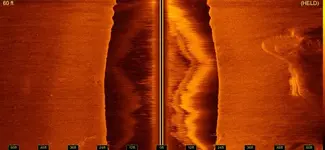
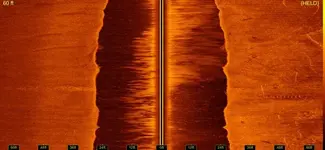
SideScan Images any ID Help?

FunWithTreasure

Hero Member
Joined
Oct 12, 2008
Messages
783
Reaction score
347
Golden Thread
0
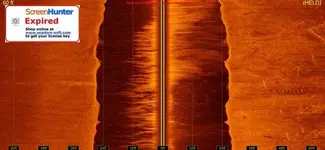
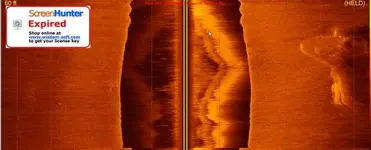
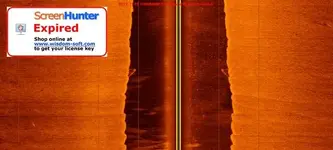
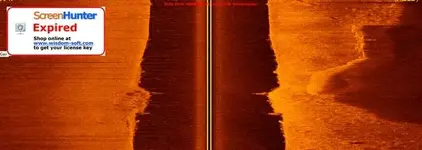
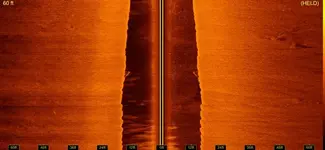
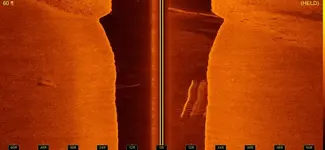
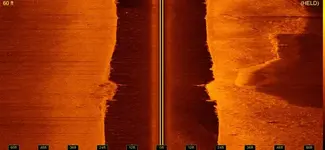
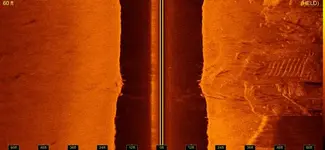
Anyone see anything in any of these images? I am new at sidescan. Everything looks like something to me.
 

Attachments

  • ScreenHunter_01 May. 23 21.07.webp
    ScreenHunter_01 May. 23 21.07.webp
    32.4 KB · Views: 414
  • ScreenHunter_02 May. 23 21.07.webp
    ScreenHunter_02 May. 23 21.07.webp
    45.5 KB · Views: 404
  • ScreenHunter_03 May. 23 21.15.webp
    ScreenHunter_03 May. 23 21.15.webp
    24.2 KB · Views: 402
  • ScreenHunter_04 May. 23 21.19.webp
    ScreenHunter_04 May. 23 21.19.webp
    27.9 KB · Views: 409
  • ScreenHunter_05 May. 23 21.22.webp
    ScreenHunter_05 May. 23 21.22.webp
    21 KB · Views: 408
Whats going on with the ScreenHunter stamp over the images?

I see a couple of interesting spots! What do you have your ping rate set to? It should be on auto. Your images look very compressed.

What speed are you going when recording?

Robert
 
Screen Hunter is a program I use to capture images from the yellowfin program. It is just a screen capture program. I have everything set the way you told me to. The images are compressed because I had to shink them down to upload them here.
 
Do you have an image editor like Adobe Photoshop Elements or something similar?

You can export images right from YellowFin by going to the File Menu and then Save Screen or Save Selected. You can click the arrow / mouse cursor icon on the left and it will draw a selection box. Then go to File->Save Selected.

Robert
 
Thanks I didnt know that here are the Save Screen Pics.
 

Attachments

  • 1.webp
    1.webp
    39 KB · Views: 324
  • 2.webp
    2.webp
    35.7 KB · Views: 326
  • 3.webp
    3.webp
    40.8 KB · Views: 326
  • 4.webp
    4.webp
    39.1 KB · Views: 327
  • 5.webp
    5.webp
    40.2 KB · Views: 326
  • 6.webp
    6.webp
    43.4 KB · Views: 316

Users who are viewing this thread

Back
Top Bottom