What's new

How do you add a signature line

Steve in PA

Gold Member
Joined
Jul 5, 2010
Messages
9,667
Reaction score
14,518
Golden Thread
4
Location
Pittsburgh, PA
🥇 Banner finds
4
Detector(s) used
Fisher F75, XP Deus, Equinox 600, Fisher 1270
Primary Interest:
All Treasure Hunting
I would like to add a signature like Bill D with all my significant finds.
 
I would like to add a signature like Bill D with all my significant finds.


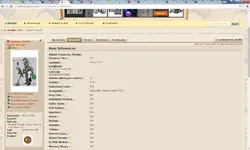
Using PC on upper right side is icon that says "My profile", click on it, then on left side just to right of your user name is a "pencil" icon, click on it, this takes you to your profile and allows you to edit it. You will your signature box on the left side of the screen....
 
I'm not seeing the pencil icon just to the right of my username after I click on my profile?
 
Last edited by a moderator:
on my PC it's under the setting on top right hand side of display
 
Here is my profile pencil icon to the right of my name..... Click picture to blow up...

Profile Edit.webp
 
Steve, you can click "Settings" next to "Log Out" in upper right. Then on the left hand side you will see "Edit Signature" as what mine says, yours should be "Signature". Add what you like & be sure to save.
 
Steve, you can click "Settings" next to "Log Out" in upper right. Then on the left hand side you will see "Edit Signature" as what mine says, yours should be "Signature". Add what you like & be sure to save.

Boom!! Thanks River Rat :thumbsup:
 

Users who are viewing this thread

Back
Top Bottom