What's new

Why ? & How to fix ?

jeff of pa

Super Moderator
⛭ Moderator
🥇 Charter Member
Joined
Dec 19, 2003
Messages
96,592
Reaction score
75,941
Golden Thread
2
🥇 Banner finds
1
Primary Interest:
All Treasure Hunting
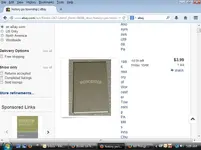
Untitled.webp


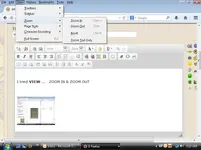
I tried VIEW ... ZOOM IN & ZOOM OUT

Untitleded.webp

things got worse
 
What Windows operating system is that?
 
Last edited:
Mine did that the other day but I had the screen enlarged like 300% or something. Funny thing though, I tried it just now and it didn't do it. ???
 
Jeff. Try holding down your <Ctrl> key and hitting <+> or <-> until you get things how you want. Does that work?
 
Jeff. Try holding down your <Ctrl> key and hitting <+> or <-> until you get things how you want. Does that work?

:thumbsup: Thanks ! That worked :notworthy:
 
Last edited:
I have Windows 7 and Firefox. I hold down CTRL and hit - or + and it shrinks/enlarges just fine. Just a run of the mill keyboard...
 
Try this-
1- Open Magnifier by clicking the Start button, click All Programs, click Accessories, click Ease of Access, and then click Magnifier.

2- In the Scale Factor list, select a level. The zoom level in the Magnifier window will change right away. Adjust the level until it's right for you.
 

Users who are viewing this thread

Back
Top Bottom