What's new

Adding images?

GroundS.KeepeR

Hero Member
Joined
Jan 25, 2009
Messages
872
Reaction score
213
Golden Thread
0
Location
Tennessee
How do i post so that the image is the correct size?..I use paint ...) What % should i use under both resize & Skew ? ..Or should i do another way? Thanks!
 
GroundS.KeepeR said:
How do i post so that the image is the correct size?..I use paint ...) What % should i use under both resize & Skew ? ..Or should i do another way? Thanks!
Ok.
Let me see if I may help.
If you try to post and the reply comes back reading: Image too large.
A. "open with" Paint
B. Click on Image near the top.
c. Click Re size/ re skew
D. a window will pop up reading: Horizontal / Vertical
E. In the horizontal box click backspace until there is nothing in the box. Then enter "50" Do the exact same thing for vertical.
Don't mess with the bottom where it reads "skew"
Then click on your menu and click "save as"

SUCCESS!
You may have to do this twice but, you get my drift.

Cheeres friend
 
practice
 

Attachments

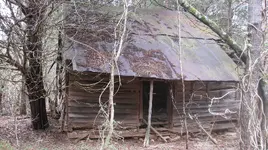
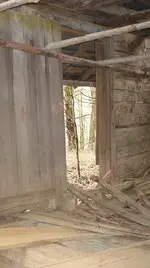
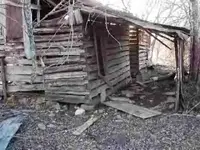
  • cabin 436.webp
    cabin 436.webp
    425.1 KB · Views: 205
practice
 

Attachments

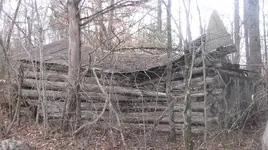
  • cabin 441.webp
    cabin 441.webp
    13.4 KB · Views: 165
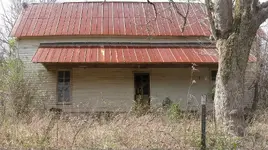
  • cabin 441.webp
    cabin 441.webp
    13.4 KB · Views: 151
  • cabin 441.webp
    cabin 441.webp
    13.4 KB · Views: 152
4-H said:
GroundS.KeepeR said:
How do i post so that the image is the correct size?..I use paint ...) What % should i use under both resize & Skew ? ..Or should i do another way? Thanks!
Ok.
Let me see if I may help.
If you try to post and the reply comes back reading: Image too large.
A. "open with" Paint
B. Click on Image near the top.
c. Click Re size/ re skew
D. a window will pop up reading: Horizontal / Vertical
E. In the horizontal box click backspace until there is nothing in the box. Then enter "50" Do the exact same thing for vertical.
Don't mess with the bottom where it reads "skew"
Then click on your menu and click "save as"

SUCCESS!
You may have to do this twice but, you get my drift.

Cheeres friend
Thanks alot! :thumbsup:
 
You can play with the % on paint. The image will appear the same on T-net as your seeing it in paint, so if 50% still looks large you can change it to lets say 40%. Just hit edit-undo and resize it. Good luck :icon_thumleft:
 
richm said:
You can play with the % on paint. The image will appear the same on T-net as your seeing it in paint, so if 50% still looks large you can change it to lets say 40%. Just hit edit-undo and resize it. Good luck :icon_thumleft:
Thanks'' richm..
 

Users who are viewing this thread

Back
Top Bottom