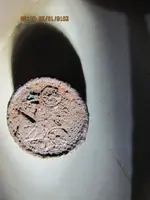
Looking to download some pictures from my computer to a forum for identification. I'm new to this site & I'm a passionate detectorist & have some buttons to id. Please advise how? Thanks
Hope this helps go to post new thread then type in your post and if you go to the second row of icons starting at the last one on the far right go 6 icons in click the square and you can upload your photos. there is instructions on this site Im just hoping this will be easy peasy japeneasy.
Yo tommy also hate daylight savings time nonsense if I am ever in Wolverine Country would love to hang out with you you are a straight up good dude I have to work in Center City Philadelphia tomorrow should be in bed but been cleaning a piece I dug out at an old cemetery here in Conshohocken later dude PS I am an ND Irish fan
1st - I noticed this was your very first post - so, Welcome Aboard Gunner1954! You didn't list your state (or country) in your profile. So, you might consider jumping over to Sub-Forum: Select Your Area.... and selecting location information (i.e., clubs, hunts, finds, legends, maps, etc.) directly related to your state (or country). You might also consider adding your state (or country) to your displayed profile (SETTINGS -> EDIT PROFILE) - members may have more success helping you (your location may help, etc.)...
2nd - Have you found something and need help ID'ing it? Ask here: What Is It?
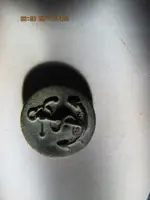
welcome to the site and looks like you've already found some nice artifacts. The button with the anchor on the right looks similar to jacket buttons on US Navy peacoats through at least the 1980's. Hopefully you'll find more answers here and happy hunting!