Chadeaux
Gold Member
- Joined
- Sep 13, 2011
- Messages
- 5,588
- Reaction score
- 6,409
- Golden Thread
- 0
- Location
- Southeast Arkansas
- Detector(s) used
- Ace 250
- Primary Interest:
- Cache Hunting
Thanks, Mike!
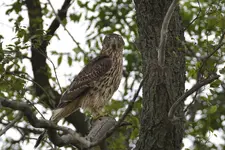
I was in the morning sun and he was in the shaded cover of the trees. I also didn't raise the flash because I was thinking I wouldn't need it with the bright sun. IDK, maybe it would have turned out better if I had raised it. I've pretty much given up on editing. Every time I edit, I make it worse.
On the little control on the back of your camera, you have the OK button. Around it you have a ring with 4 choices. One of them is a "+/-" option. With these cameras, set it to at least -1 (3 clicks down: After clicking on the "+/-", press the bottom of the ring 3 times). Will make your exposure a bit better and colors more realistic.
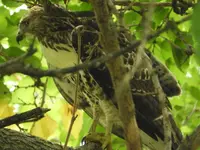
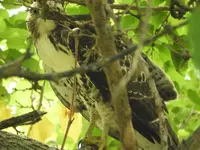
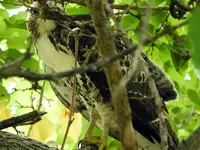
These Nikon Coolpix cameras tend to overexpose shots. Easier to fix before taking the shot than after, but this is what I did with my new toys.
New software (affinity Photo, $50.00 and worth every penny) did this:
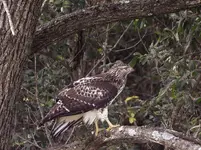
Corrected the white balance by creating a negative of the original shot. On that layer, did a blur/average which gave me the color that was messing up your whitebalance (another quirk with these cameras) then applied a soft light blend mode to that layer. Added an HSL layer and clipped it to that layer so it only affected the correction layer. This is what came out. Colors look more realistic to me. Could have made them deeper, but they often come out plastic looking or over saturated.
BTW, like the bunny hiding in the tree. Great camouflage!
Last edited: