What's new

Along the creek

tamrock

Platinum Member
Joined
Jan 16, 2013
Messages
16,407
Reaction score
34,874
Golden Thread
0
Location
Colorado
Detector(s) used
Bounty Hunter Tracker IV
Primary Interest:
All Treasure Hunting
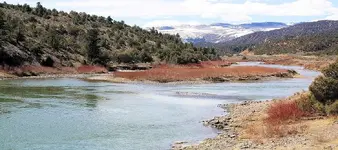
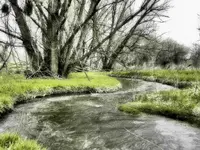
Took the mutt's out for their necessary walk yesterday along the creek and took a couple pictures and used the creativity functions that come with this camera of mine on these. Didn't really see much out this day, but did I did kick-up an old horseshoe along the way, so I guess you could say it was a lucky day. It was rather nice weather outside and I herd a lot frogs this time of the year. On the 1st photo I had to crop it up a lot because you can't load photo higher then 5MB on this site. Can someone tell me another way to reduce the MB's on a photo without coping the crud out of it??? I don't like that no good red X coming up on my pictures saying you can't show it as you'd like on TN.
 

Attachments

  • coal creek 041016 1.webp
    coal creek 041016 1.webp
    3.3 MB · Views: 88
  • coal creek 041016 2.webp
    coal creek 041016 2.webp
    1.3 MB · Views: 85
Those are some nice shots Grant!.......I use photoshop elements 9 for downsizing. I think most photo editors have a downsizing feature.
 
I just use MS Paint that came with Windows 7. Click on the word "Resize", choose to Resize by "Percentage" or "Pixels". Type in the number you want and hit "Enter". Only thing I can imagine that would be more simple is to verbally tell the computer what ya wanna do and it does it for you.

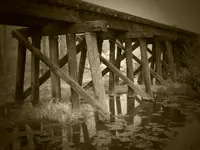
Beeeeee-autiful!! The train tracks are nice, but that meandering stream? WOW! That's awesome!

Thanks for sharing!!
 
4-11a.webp Cool creek pic; kind of a chrome effect. I do the same as kcm. I do 20x20 percentage. You can play with that a little. For an example, this pic was originally posted on here at 20x20. I went back to it and did 125 horizontal and 100 vertical. That stretching works well on some landscapes if you don't overdo it.
 
Okay I did it on the paint feature. No more boohoo I can't figure it out. Thank you people :thumbsup:
 

Attachments

  • coal creek 041116 3.webp
    coal creek 041116 3.webp
    1.9 MB · Views: 82
I just use MS Paint that came with Windows 7. Click on the word "Resize", choose to Resize by "Percentage" or "Pixels". Type in the number you want and hit "Enter". Only thing I can imagine that would be more simple is to verbally tell the computer what ya wanna do and it does it for you.

Beeeeee-autiful!! The train tracks are nice, but that meandering stream? WOW! That's awesome!

Thanks for sharing!!
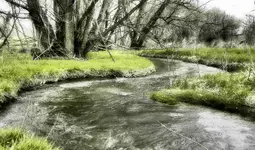
Thanks! kcm. On the steam pic I used the soft focus and one point color feature on this camera of mine.
 
I started my DSLR classes last Friday. Look out! lol. Very nice effects and subjects.
 
I started my DSLR classes last Friday. Look out! lol. Very nice effects and subjects.
I wish I could be taught but, it was noted very early in my life that was impossible, otherwise I'd go learn some more stuff instead of always winging it through life. :tongue3:
 

Users who are viewing this thread

Back
Top Bottom