What's new

usb microscope

if you be CHEAP-- like me--- spend $5.35 for a lighted 40X wit da free ship (which is the same as no cost) for CRH errors. my 20X will serve in the field when the ground thaws--- in tree munts :BangHead::BangHead::sad11:
 
Port is right. I just use a lighted looking glass. But if I had the money I’d go down the road you’re going!!
 
if you be CHEAP-- like me--- spend $5.35 for a lighted 40X wit da free ship (which is the same as no cost) for CRH errors. my 20X will serve in the field when the ground thaws--- in tree munts :BangHead::BangHead::sad11:

Yes, but your loupe won't save pics to computer and that scope will.
 
I don't have this one I have a dino-lite which works great.
 
Yes, but your loupe won't save pics to computer and that scope will.

I hear ya, ----- but--- I walked to school uphill both ways in blizzards all summer & I survived that______

got the Canon to shoot keepers that I post here & on feebay. FMERG will bring it to my crib when he gets it so we can get that :censored:-eatin' :icon_biggrin: on our faces as we behold the shock & awe 8-)
 
I ordered one. Once I get it set up, i'll let you know what I think.
 
plan on getting this for checking error coins
anyone ever use it
https://www.amazon.com/dp/B0184CCOY0?tag=treasurenet01-20

Ok so I got it today took a whole 10 minutes to set up
my only complaint is that it will only capture has a bmp
how ever i can convert to jpg
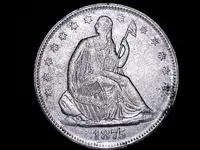
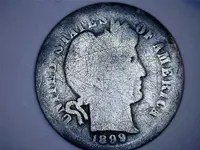
here is some sample photo's
Still008.webp
Still007.webp
Still006.webp
Still005.webp
Still004.webp
 
Can you tell us which magnification each picture is and if there was additional lighting ? And how did you convert to jpg? Did you reduce the file size or do any cropping?
 
Ok so I got it today took a whole 10 minutes to set up
my only complaint is that it will only capture has a bmp
how ever i can convert to jpg
here is some sample photo's
View attachment 1531965View attachment 1531966View attachment 1531968View attachment 1531970View attachment 1531971

those are confirmed die chips/IDB's on the hat visor. Fmerg also found a confirmed chip in the female's hair at left of the part. I also have a few of those as of last night. now 3 errors to watch for when you visit "Ellis Island".

bet the crew at Philly would :laughing7:KILL :dontknow: for a :dontknow:"DIE" :laughing9: that manages to NOT get screwed up :tongue3: hope to find a CUD for this issue----- it's bound to happen :icon_biggrin:

Frank raised a generous son to buy da ol' man that nice toy---- gotta give him some ideas on what to BLOW UP & save to photo file :dontknow::occasion18::icon_biggrin:-------- maybe enlarged print on the book "what happened" to comprehend the meaning of the words---- like the word "IS"--- remember that ???:laughing9:
 
those are confirmed die chips/IDB's on the hat visor. Fmerg also found a confirmed chip in the female's hair at left of the part. I also have a few of those as of last night. now 3 errors to watch for when you visit "Ellis Island".

bet the crew at Philly would :laughing7:KILL :dontknow: for a :dontknow:"DIE" :laughing9: that manages to NOT get screwed up :tongue3: hope to find a CUD for this issue----- it's bound to happen :icon_biggrin:

Frank raised a generous son to buy da ol' man that nice toy---- gotta give him some ideas on what to BLOW UP & save to photo file :dontknow::occasion18::icon_biggrin:-------- maybe enlarged print on the book "what happened" to comprehend the meaning of the words---- like the word "IS"--- remember that ???:laughing9:
i already know what to blow-up grammer.webp
 
Can you tell us which magnification each picture is and if there was additional lighting ? And how did you convert to jpg? Did you reduce the file size or do any cropping?
the lighting was from the 8 led on the unit
as for the magnification there is no scale you move the scope down and adjust the focus
the pictures were not cropped and are 1600 x 1200
i used Multimedia Xplorer 2 to convert but mspaint will allow you to convert also just use the "save as" function
 
the lighting was from the 8 led on the unit
as for the magnification there is no scale you move the scope down and adjust the focus
the pictures were not cropped and are 1600 x 1200
i used Multimedia Xplorer 2 to convert but mspaint will allow you to convert also just use the "save as" function

Thank you for the quick reply. I've been wanting to get another. I had gone the cheap route in the past, and the company didn't update their software/drivers so the unit became worthless when I upgraded to Windows 10. Also, the stand was flimsy and you had to do a work around by stacking books under the stand to increase the focal distance. So I don't mind spending the money for a better unit as long as it is well made and reliably supported.
 
the stand was flimsy and you had to do a work around by stacking books under the stand to increase the focal distance. So I don't mind spending the money for a better unit as long as it is well made and reliably supported.
the software that the unit comes with is a basic directshow video capture software (Amcap made by an outside vendor)
i have checked a few different software packages that us directshow and they all work
as for the stand it is made from aluminium and all parts are finished surfaces
the upright part the holds the scope and adjust the focal distance can be turned 360 degrees and lock in place with the locking ring
the scope can be removed and used as a hand held unit also
 
I have a Micro-Capture Pro USB Microscope, got on Amazon. Takes photos and videos, I love it. Not so much into errors but takes great close ups of finds161185577584.webp16112913612405.webp17116123434940.webp I am sure it was less than $100
 
I just got this scope. Nice solid base compared to my last one at a reasonable price and easier to bring into focus.
 
I did get it thru amazon. I'm at work right now but when I get a chance, i'll post some pics.
 

Users who are viewing this thread

Latest Discussions

Back
Top Bottom