What's new

Where Is All The Advice On How To Take Nice Pictures ?

Gaijun1

Sr. Member
Joined
Oct 11, 2010
Messages
355
Reaction score
9
Golden Thread
0
Location
Morgantown Wv
I Think This Topic Has Been Brought Up Before
But Is There a Post On How To Take Great Pictures Of Your Coins To Show ?

Im New Too Photoscape Too But I Like The Help Section Its Invalueable And Easy To Learn
And Free
 
Upvote 0
Gaijun1 said:
I Think This Topic Has Been Brought Up Before
But Is There a Post On How To Take Great Pictures Of Your Coins To Show ?

Im New Too Photoscape Too But I Like The Help Section Its Invalueable And Easy To Learn
And Free

I am a photographer for a living so I have all sorts of fancy stuff, but for coins I have a simple set up.

I have a small, tabletop tripod and a point and shoot camera with a really nice macro mode. I have found that the best seems to be the Nikon CoolPix line. They have a "super" macro mode that gives really nice sharp shots.

Next, a light source is important. You want strong, bright lights. Incandescent works well, but I have actually found halogen desklamps work really well. I have two to provide direct illumination on all sides.

Next, you want a true, white background. Several layers of nice white printer paper does the trick I find. You will see why this is important later.

Set your camera to the largest image size, and highest image quality. Focus on the coin, snap away.

I see that you have Photoscape, which is a great, small, fast program that doesn't require as much know how as Photoshop.

I use three tools after uploading my image.
1:Crop
I crop the image down to just around the coin. With a 12MP camera, this should yield about a 1mb file for pennies, and 2.5mb for a quarter.

2. Auto Levels.
This gets rid of a lot of color cast and weird shading that can occur. It gives a nicer image.

3. White Balance.
This tool gives you a pointer to select a pure white area to give you the most true to life colors. This is why shooting on a white background is important. You can click on the paper, and if it has a blue or pink cast, the program knows that that should be white, and adjusts all the colors correctly.

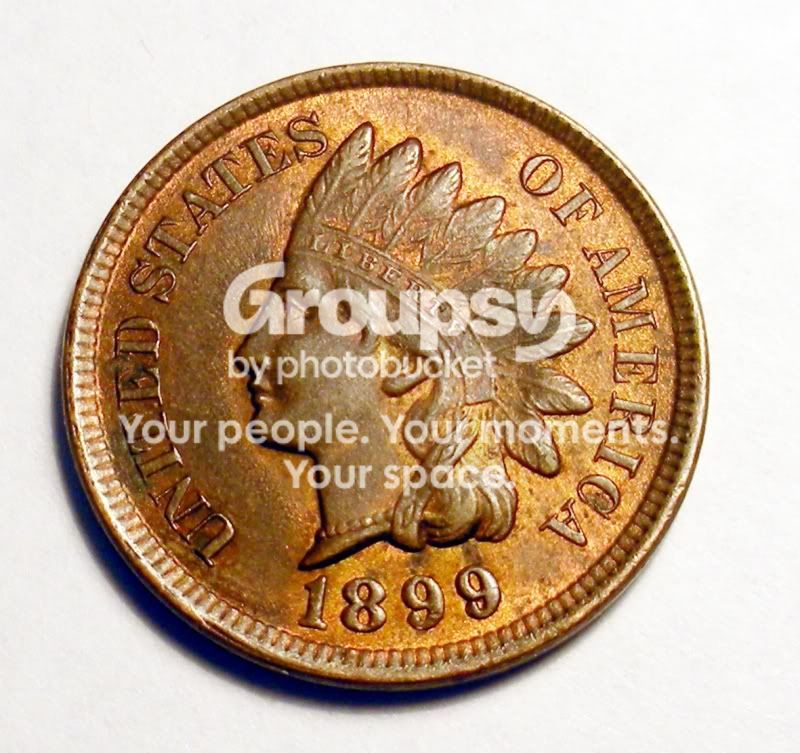
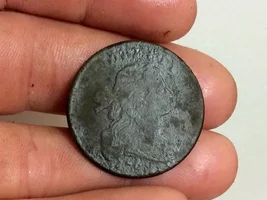
Then you end up with an image like this:
DSCN2994.jpg
 
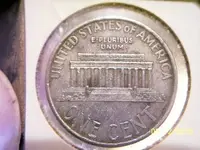
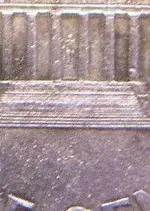
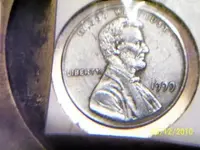
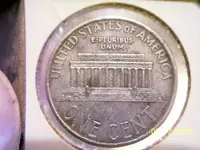
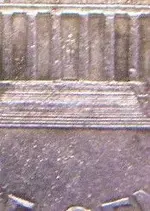
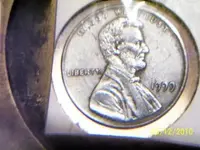
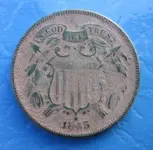
Or you could just pull out my 10 year old Kodak easyshare and a magnifying glass and end up with photos like this :laughing9: :laughing9: :tongue3: :tongue3:- (Don't get me wrong Teknowaffle, I know there is no comparison)
 

Attachments

  • zinc rev.webp
    zinc rev.webp
    21.5 KB · Views: 286
  • zinc close.webp
    zinc close.webp
    12.6 KB · Views: 240
  • zincoln.webp
    zincoln.webp
    18.1 KB · Views: 275
  • zinc rev.webp
    zinc rev.webp
    21.5 KB · Views: 282
  • zinc close.webp
    zinc close.webp
    12.6 KB · Views: 235
  • zincoln.webp
    zincoln.webp
    18.1 KB · Views: 279
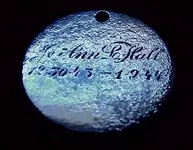
If I could post good looking pics I would. Sometime my camara will do ok for me then the next time forget it I get nothing but crap pics. Sorry I can not help you.........Matt
 
Upload from camera, crop, resize. I use VSO image resizer.
 

Attachments

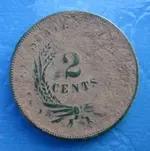
  • parktwocentbefore.webp
    parktwocentbefore.webp
    51.3 KB · Views: 283
  • before.webp
    before.webp
    50.3 KB · Views: 264
If you have a flat bed scanner just scan them.
 
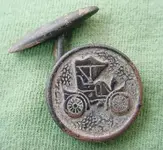
Im not a professional photographer but I use the old Sony Mavicas with a floppy disc. They are only 1.2 megapixel but thats all you need with the good Macro lens. The camera can be purchased cheap (about $25) from eBay. I prefer a colored background. Halogen is great. Natural sunlight also great but watch the shadows. . Pop in the floppy. Take picture. Pop it out and insert it in the computer. (You need a floppy drive). Crop and save. I havent tried Photoshop. I can resize on the camera or Irfanview. . Simple..
 

Attachments

  • MVC-012Scrop.webp
    MVC-012Scrop.webp
    45.5 KB · Views: 221
  • MVC-003Fcrop.webp
    MVC-003Fcrop.webp
    25.3 KB · Views: 228
The most important thing is to have a dedicated macro lens or a camera with specific macro capability. I can second the recommendation of a Coolpix - an older model used is fine. Even some folks with digital SLR cameras get something like a Coolpix as a backup camera just for macro stuff. Yes, you can hold up a magnifier to your cameraphone in a pinch, but a macro lens is better.

The other key is light. You'll need more light with macro shots, or you'll need longer exposure times. You'll need a tripod, because even tiny amounts of hand shake will screw up macro shots. And if you have longer exposure times, you may even want a remote for the camera. Also, camera mounted flashes almost always produce terrible results, so consider a slave flash or some other source of light.

It's a good idea to acquaint yourself with the classic photography trade-offs between exposure times, light levels, depth-of-field and noise. For example, if you need to compensate for low light, you can set your camera to amplify the output, but it will be noisier (in the olden days, you'd use faster film, which is grainier). You could also use longer exposure times, but there is more risk of camera shake or other movement that will disrupt the image. You could use a faster f-stop, but that means less depth-of-field.

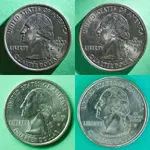
Above all, take lots of pictures and experiment with different things. I've attached some examples. These are four different lighting and exposure configurations of the same coin.
 

Attachments

  • four-quarters.webp
    four-quarters.webp
    129.8 KB · Views: 218
Thanks For All The Info Guys
Im Not Fully Gasping What Crop Doe's Yet But The Video Tutional Help's :icon_thumright:
 
I hardly ever use the macro feature, I get great pics with a cheap Canon.
 
fistfulladirt said:
I hardly ever use the macro feature, I get great pics with a cheap Canon.
How do you do that? ??? Are you talking about closeups because the Macro feature is only necessary for closeups 2-5 inchers approx.
 

Users who are viewing this thread

Latest Discussions

Back
Top Bottom